Command Markers+ Feature in V2
Dec 5, 2025

Command Markers+ (V2)
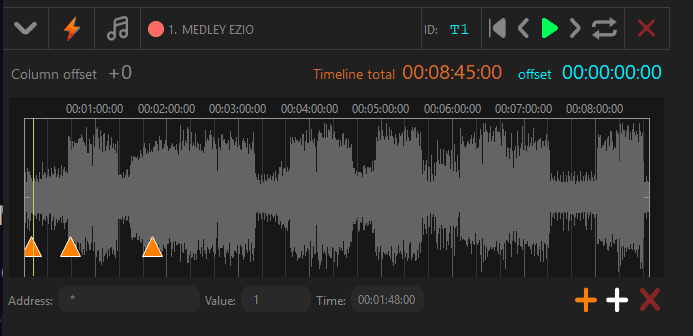
Compatibility note: Command-Markers+ is Resolume-only. (General OSC in OSC⚡️See still works with any OSC-capable software.)
What is Command-Markers+?
Turn timeline labels (e.g., Intro, Chorus, Drop) into executable commands for Resolume.
Name the cue in OSC⚡️See, then Sync Cue Markers to link by name to Resolume columns.
Program concept-first (labels), fill content later—no column numbering or re-mapping.
UI & behavior (white “+” vs orange “+”)
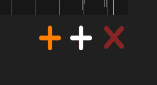
White “+” → Standard marker (label only).
Orange “+” → Command-Marker+ (command-capable for Resolume).
Text field intelligence
Leading
*→ toggles Command-Marker+ mode.Add
*to convert a standard marker → Command-Marker+.Remove
*to convert a Command-Marker+ → standard.
Full OSC address (e.g.,
/composition/…) → the marker becomes a direct OSC command (works with Resolume or any OSC-capable app).Plain text → remains a standard label (structural note) until you promote it.
Prerequisites
OSC⚡️See V2 or later
Resolume Arena/Avenue (required for Command-Markers+)
Quick start
Create a track & load your audio (or use SMPTE/Free).
Add Command-Markers+ (labels that will control Resolume by name) or import markers from CSV.
Sync with Resolume (Sync Cue Markers) pressing Right Click over the Timeline — columns are created/linked by label.
Press play — Resolume follows every cue in sync.
Traffic Light (sync status per track)
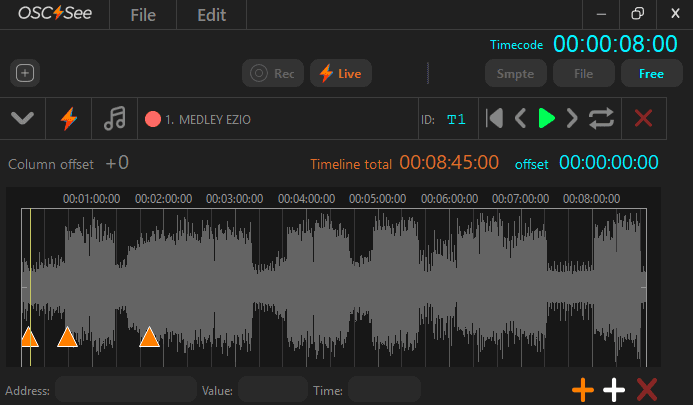
🟢 Synced
🟡 Missing/Duplicates
🔴 Not synced (Resolume closed, not linked, or you’re in another Deck)
Note:
Column scanning is performed at controlled intervals to avoid saturating OSC communication with Resolume.
After the initial sync, it is recommended to wait 1–2 minutes for the status to fully stabilize.
Working with other software
You can still send custom OSC from OSC⚡️See to lights, lasers, media servers, etc.
Only Command-Markers+ (label→command + Sync-by-Name) is exclusive to Resolume.
FAQ
Can I keep the classic V1 method?
Yes. Record precise parameters, edit keyframes, and control any OSC app. Use Command-Markers+ when working with Resolume and you want label→command + Sync-by-Name.
What time sources can I use?
Each track can be SMPTE / Audio File / Free, and you can switch anytime.